
If broadcast television in Germany, Switzerland, Austria, and increasingly across Europe and Asia has a default flagship console specification in 2026, it’s the Lawo mc² series. Founded in 1970 in Rastatt, Germany, Lawo built its position progressively through the 1990s and 2000s, then consolidated it dramatically when the broadcast industry began the transition to IP-native infrastructure. Like Studer Vista and Calrec, the mc² line predates broadcast IP (its current generation dates back to 2004, built around Nova73 TDM/MADI audio routing), but Lawo was an early champion of RAVENNA/AES67 networking, and today’s mc² consoles support SMPTE ST 2110, AES67, RAVENNA and NMOS natively, with the mc²96 (2017) designed specifically for IP video production environments.
This guide covers the mc² family — mc² 36, mc² 56, mc² 96 — from a professional broadcast engineer’s perspective.
Lawo mc² 36: the compact broadcast flagship
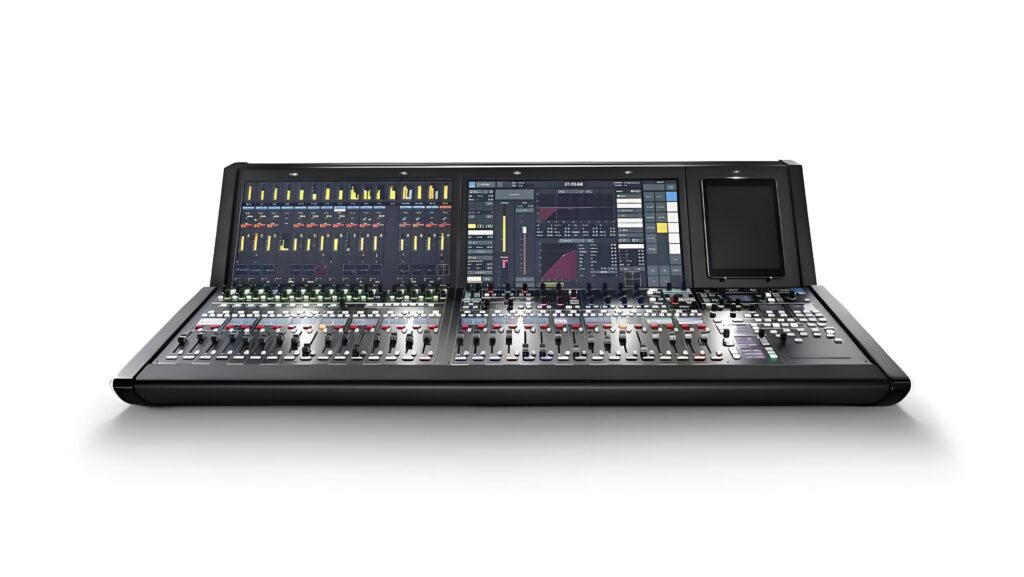
mc² 36 is the smallest of the modern Lawo broadcast consoles — frames with 16, 32 or 48 faders, 384 DSP channels, integrated I/O and native ST 2110/AES67/RAVENNA networking. The mc² 36 is widely deployed in regional broadcast facilities, smaller OB trucks, university and corporate broadcast operations, and as auxiliary console at major facilities. Pricing is on request and varies with fader count and I/O configuration.
The defining technical features:
- Native Ravenna AES67 / SMPTE ST 2110-30 I/O without bridge devices
- Lawo A__UHD Core software-defined processing technology (the same core family available for mc² 56 and mc² 96), integrated in the console
- Lawo HOME integration — Lawo’s management platform for IP media infrastructures (device discovery, connection management and monitoring)
- Video integration such as LiveView video thumbnails on the channel strips (mc²56/mc²96), with Lawo’s V_remote4 and related products handling IP video on the network side
Lawo mc² 56: the mid-flagship
mc² 56 (now in its third generation, MkIII) is the workhorse of the Lawo broadcast line — 16 to 144 faders, up to 1,024 DSP channels with A__UHD Core (up to 2,496 with HOME mc² DSP), widely deployed at German-speaking public broadcasters and at a growing number of broadcast facilities worldwide. Pricing for mc² 56 systems with redundant processing and full IP I/O is project-specific.
mc² 56 is the natural choice for:
- Main TV studio production at mid-to-large broadcasters
- Large OB truck installations (sports, news, live entertainment)
- Major radio network main studios
- Corporate broadcast facilities at the flagship tier
Lawo mc² 96: the full flagship
mc² 96 is Lawo’s largest console (the “Grand Production Console”, premiered in 2017) — frames from 16 to around 200 faders, up to 2,496 DSP channels with HOME mc² DSP, deployed at the largest broadcast facilities worldwide. mc² 96 installations include major sports broadcast OB trucks, flagship TV studios at top-tier broadcasters, and large theatrical/concert hall installations doing live broadcast. Pricing is project-specific and typically well into six figures for fully loaded installations with redundant systems.
The IP-native advantage
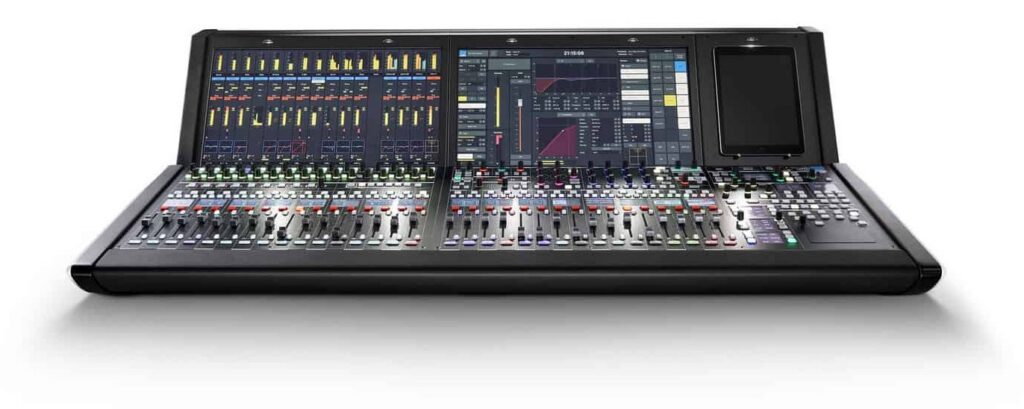
What makes Lawo distinct from the legacy broadcast console competition is the depth of IP-native integration. Specifically:
Single IP fabric for audio, video, and control. A Lawo IP installation (mc² console plus Lawo’s IP video, control and HOME management products) can carry SMPTE ST 2110-30 (audio), ST 2110-20/22 (video), and NMOS IS-04/IS-05 (discovery and connection management) on a single network. Legacy approaches require separate audio (MADI/Dante), video (SDI), and control infrastructure.
Routing transparency. Any input on the IP fabric can be routed to any console channel without patch bays, breakout boxes, or format converters. For an OB truck doing a live sports broadcast with 80+ camera feeds, 200+ audio sources, and dozens of intercoms, this single-fabric approach is operationally decisive.
Scalability and disaster recovery. Adding I/O to a Lawo system means adding a Ravenna-compatible device to the network — no proprietary stage-rack expansion. Multiple consoles can share I/O on a single fabric. Disaster recovery scenarios (failover to backup studio) are simpler when both studios are on the same IP infrastructure.
Remote production. With low-latency IP transport (Ravenna or ST 2110), Lawo systems handle remote production scenarios where the console operator and the talent are in different cities or countries — increasingly common for sports broadcast, news, and corporate streaming.
For broader broadcast routing context, see our multi-format routing for broadcast mixing consoles guide.
Lawo vs Studer vs Calrec
In the European broadcast market specifically, the three-way competition between Lawo, Studer Vista, and Calrec plays out roughly as follows:
- Lawo dominates German-speaking territories and is gaining share across Europe and Asia, particularly for new IP-native installations
- Studer holds entrenched positions at established broadcasters and post houses where Vista frames are already in service
- Calrec is especially strong in UK broadcast and in sports production, including many OB trucks
In US broadcast, Calrec and Lawo are both widely used in network facilities and sports OB trucks, while Avid VENUE S6L and Yamaha are common for music performances and entertainment events.
Where Lawo fits in a 2026 facility
Lawo mc² is the natural specification for:
- New broadcast facility builds where IP-native architecture is the explicit requirement
- ST 2110 transition projects at established broadcasters
- Large OB trucks doing major sports and live entertainment
- Remote production workflows (sports, esports, corporate streaming)
- Multi-studio facilities sharing common IP fabric
For application context, see best mixing console for broadcast TV/radio 2026 and broadcast TV/radio setup walkthrough.
Where to buy Lawo consoles
Lawo mc² systems are sold primarily through factory direct (Lawo AG, Rastatt) and authorized broadcast integrators rather than through general pro audio retail. General retailers such as Thomann do not stock mc² consoles as standard items. Installations go through Lawo’s regional offices and partners with custom integration and on-site commissioning.
Bottom line
Lawo mc² is the IP-native broadcast flagship for engineers and broadcasters serious about ST 2110 infrastructure. The combination of mature RAVENNA/ST 2110 networking, video-aware features such as LiveView, and scalable processing makes Lawo the default specification for new broadcast IP builds.
For the broader context on professional mixing consoles, return to our professional mixing console 2026 expert guide.
Where to buy : Lawo mc256
| Retailer | Why | |
|---|---|---|
| Gear4music | Reference price, 3-year warranty, pro stock in Europe | See digital mixers at Gear4music → |
Affiliate link: the price is the same for you, the commission funds our tests.
Read also: Calrec Apollo, Summa, Brio, Argo broadcast consoles: pro guide
Sources — manufacturer documentation consulted for this article: Lawo.
→ See all our Le Fader ratings
Useful accessories
Gear4music / Thomann affiliate links: the price is the same for you, the commission funds our tests. Products checked on 28/09/2026; price and stock on the retailer page.
- Monitoring headphones : Sennheiser HD 280 Pro II
- XLR cable : Studiospares Plus XLR (5 m)
- Monitoring headphones : beyerdynamic DT 770 Pro (250 ohms)